Digitalising education in Pakistan
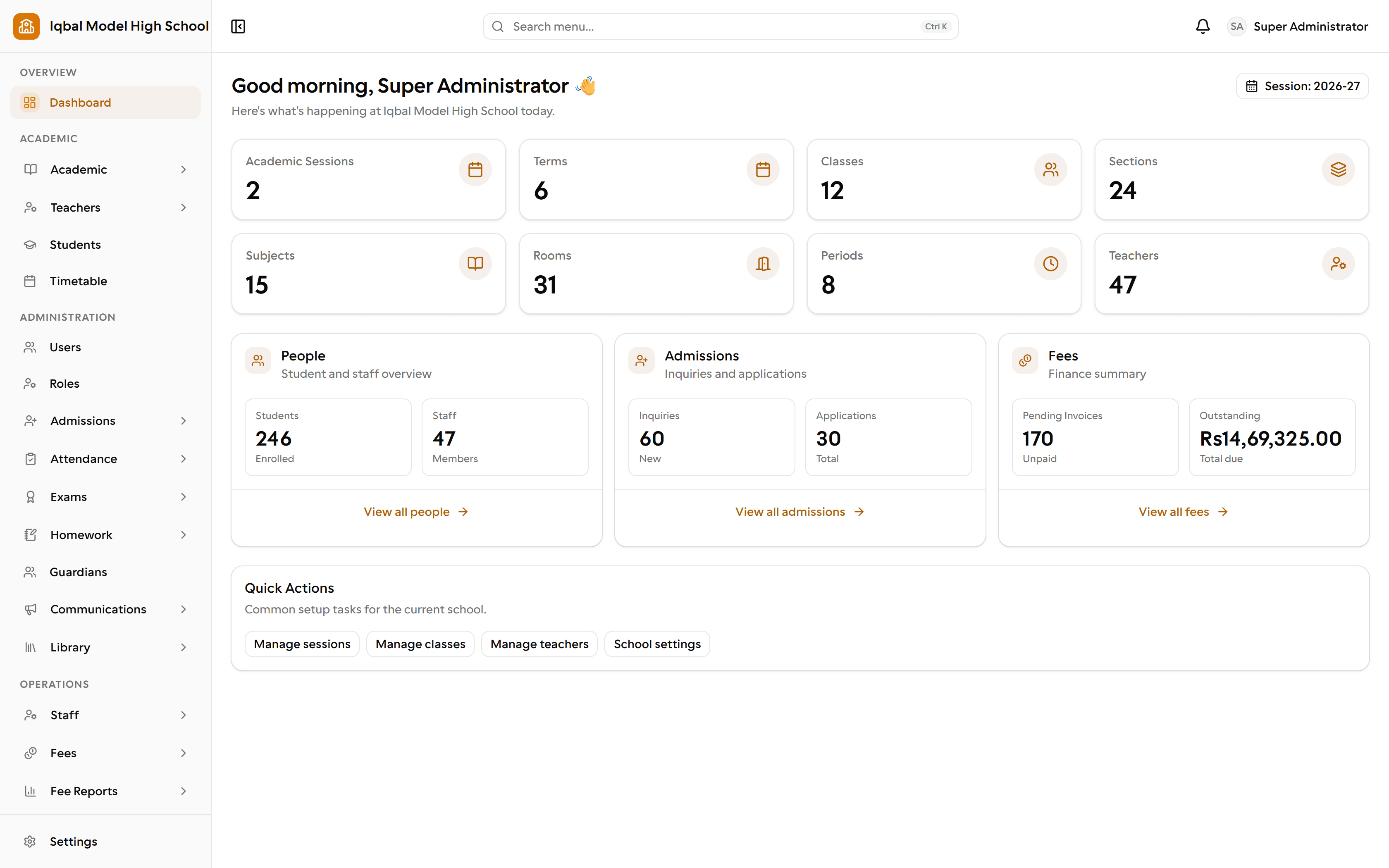
One workspace for the whole school
EDUTIG brings admissions, attendance, homework, exams, fees, payroll, library and transport into a single set of records, with portals for teachers, staff, students and parents. Developed by RNDSOL for schools moving beyond spreadsheets.
- modules
- 26modules
- portals
- 5portals
- permissions
- 185permissions
- notification events
- 20notification events
Why schools move
Less re-typing, fewer separate files
Schools usually come to us when the spreadsheets, registers and separate files stop agreeing with one another.
Stop typing the same thing twice
Admission details become the student record. Attendance, homework, results and fees all read from it, so a correction is made once.
Know what is outstanding
Invoices, receipts and concessions produce collection and outstanding reports, instead of a collection sheet that has to be totalled by hand.
Answer parents without a phone call
Parents see attendance, homework, results and fee information in their own portal, and announcements reach them there too.
Run payroll from attendance you already have
Staff attendance and approved leave feed the monthly salary run, so payroll is not rebuilt in a spreadsheet each month.
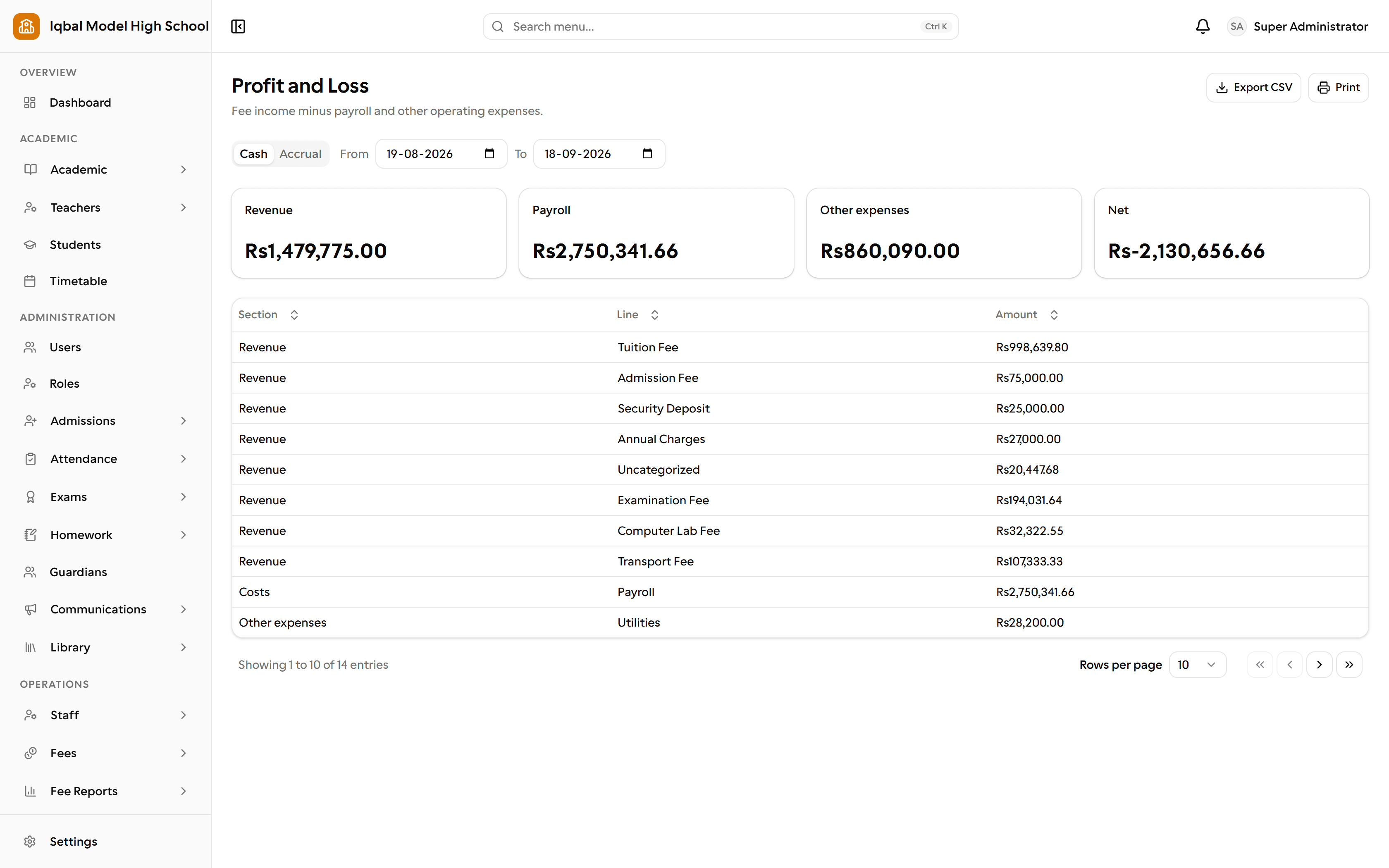
EDUTIG reports on fees and expenses. See what the finance area covers.
Modules
Six areas of school work, one set of records
Pick an area to see what it handles today. Everything listed is in the product; anything still being built is not.
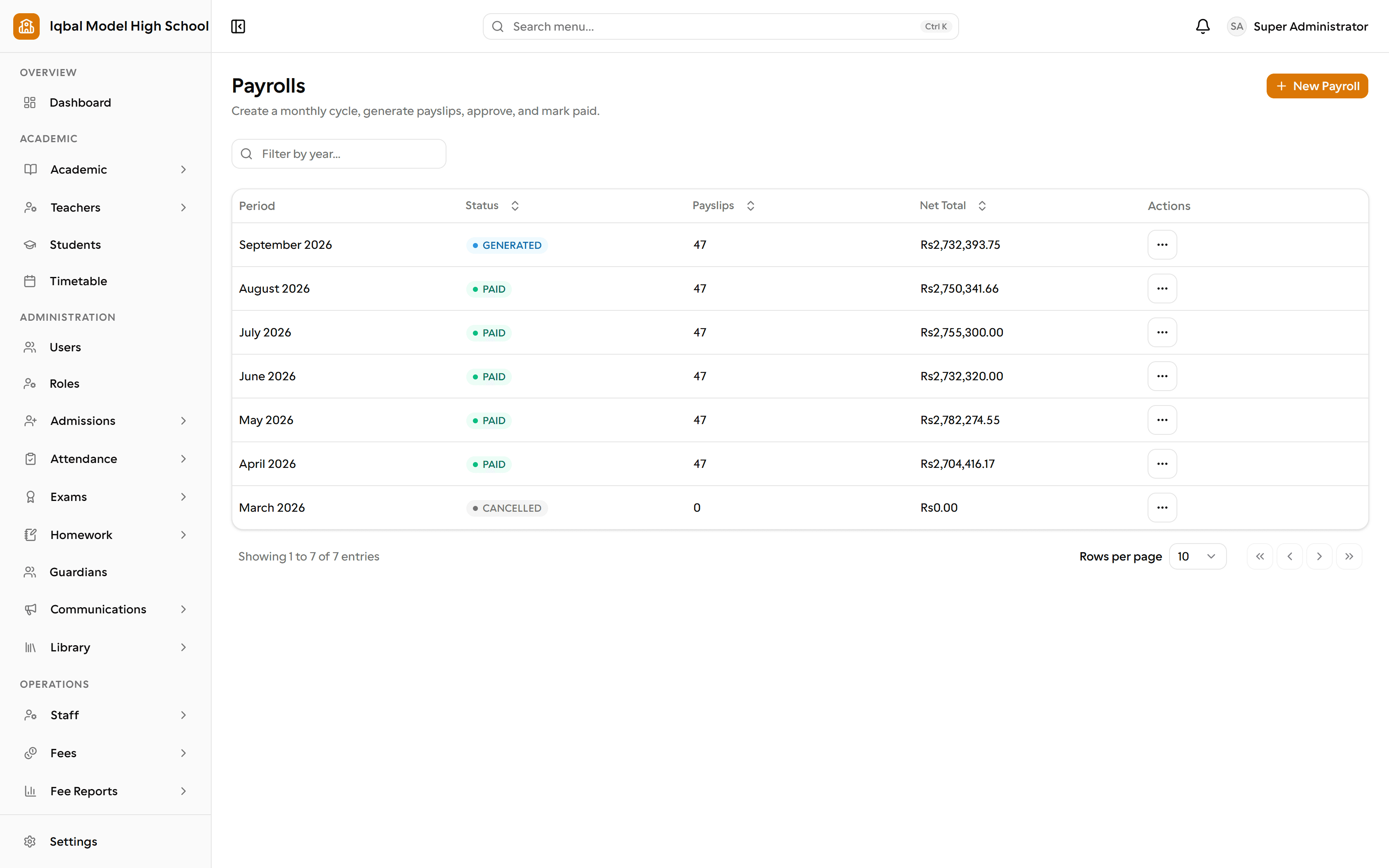
From an admission inquiry to this term's report cards.
Admissions, student and guardian records, the academic structure, attendance and leave, homework, the timetable, exams, report cards and the exam week itself.
- Admissions inquiries and applicationsNumbered inquiries, with follow-ups
- Student and guardian recordsOne file per student, used everywhere
- Sessions, classes and sectionsSessions, terms, classes and sections
- Weekly timetableA weekly grid that refuses to double-book
- Daily student attendanceDaily registers marked by your staff
- Student leaveParents apply, you approve, register updates
- Homework and submissionsSet it, collect it online, late work flagged
- Exams, marks and resultsClass-aware papers and fast marks entry
- Report cardsPrinted from a frozen snapshot
- Seating plans and admit cardsAutomatic seating plans and admit cards
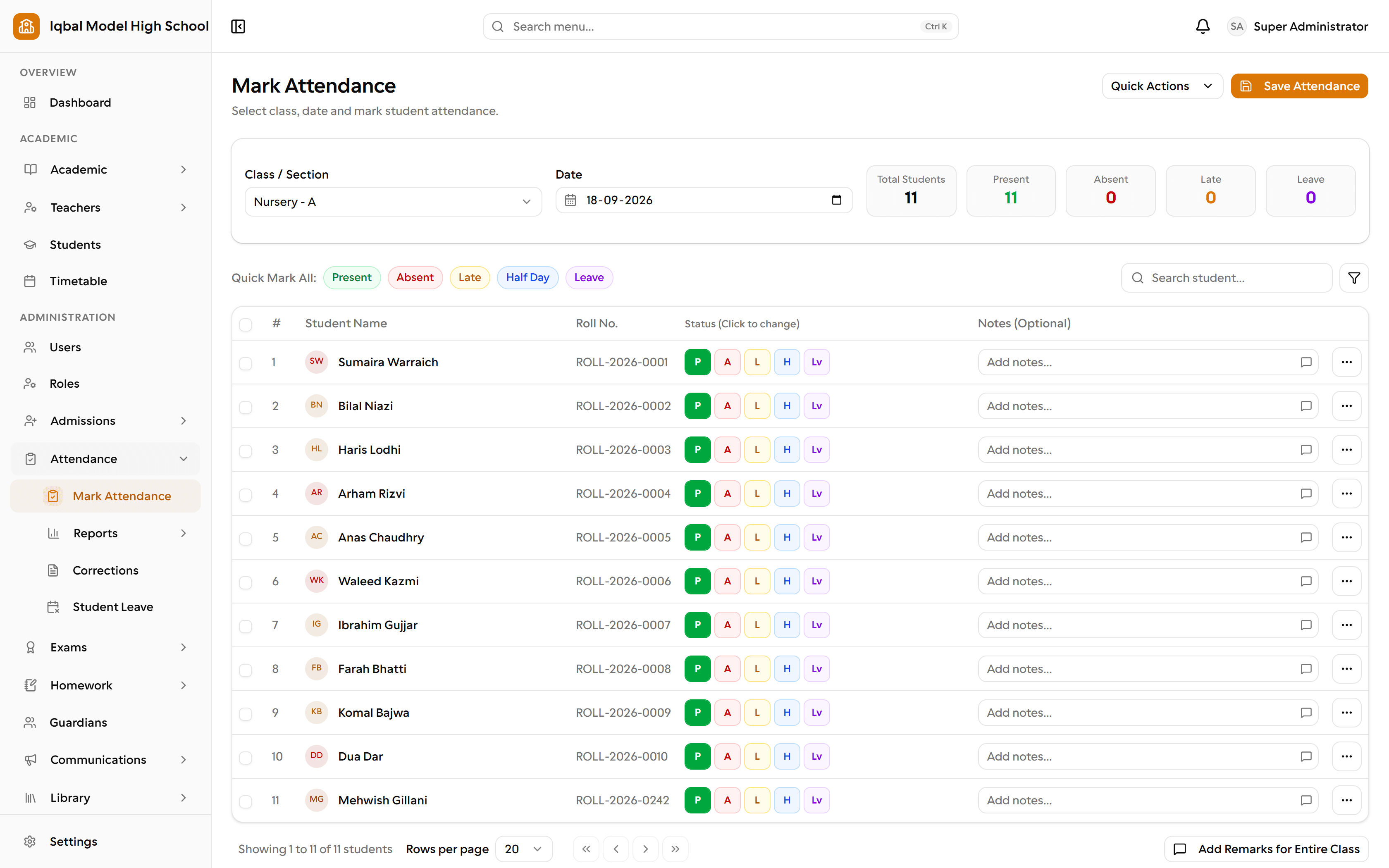
Staff records, attendance, leave and salaries in one place.
One directory for everyone on the payroll, with shifts and attendance, a proper leave policy with accrual and approvals, salary structures and monthly payroll runs.
- Staff directoryEveryone on the payroll in one directory
- Departments and designationsGroup staff, and mark who teaches
- Staff attendanceCheck-in times against your own thresholds
- Shifts and attendance policyShifts, grace periods and working days
- Staff leaveLeave types that follow your own rules
- Leave accrual and balancesAccrual, pro-rating and carry-forward
- Multi-level leave approvalAs many approval steps as you need
- Salary structuresBasic pay plus allowances and deductions
- Monthly payroll runsPreview, generate, approve, mark paid
- PayslipsNumbered, and printed on your letterhead
Know what was billed, what was collected and what is outstanding.
Fee plans and cycle-aware invoices, concessions and late fees, collection with numbered receipts, expense vouchers, and the reports your management team asks for.
- Fee plans and invoicesPlans and invoices per class or section
- Cycle-aware billingMonthly, quarterly, annual and per-term
- Discounts and concessionsConcessions by amount or percentage
- Late fees and finesRule-driven late fees, with a cap
- Fee collection and receiptsCash or bank transfer, receipted
- Bank transfer proofsParents upload proof, the office approves
- Reversals instead of deletionsReversed with a reason, never deleted
- Fee reportsNine reports, from outstanding to ageing
- Expense vouchersNumbered vouchers with an approval step
- Financial reportsProfit and loss, revenue and cash flow
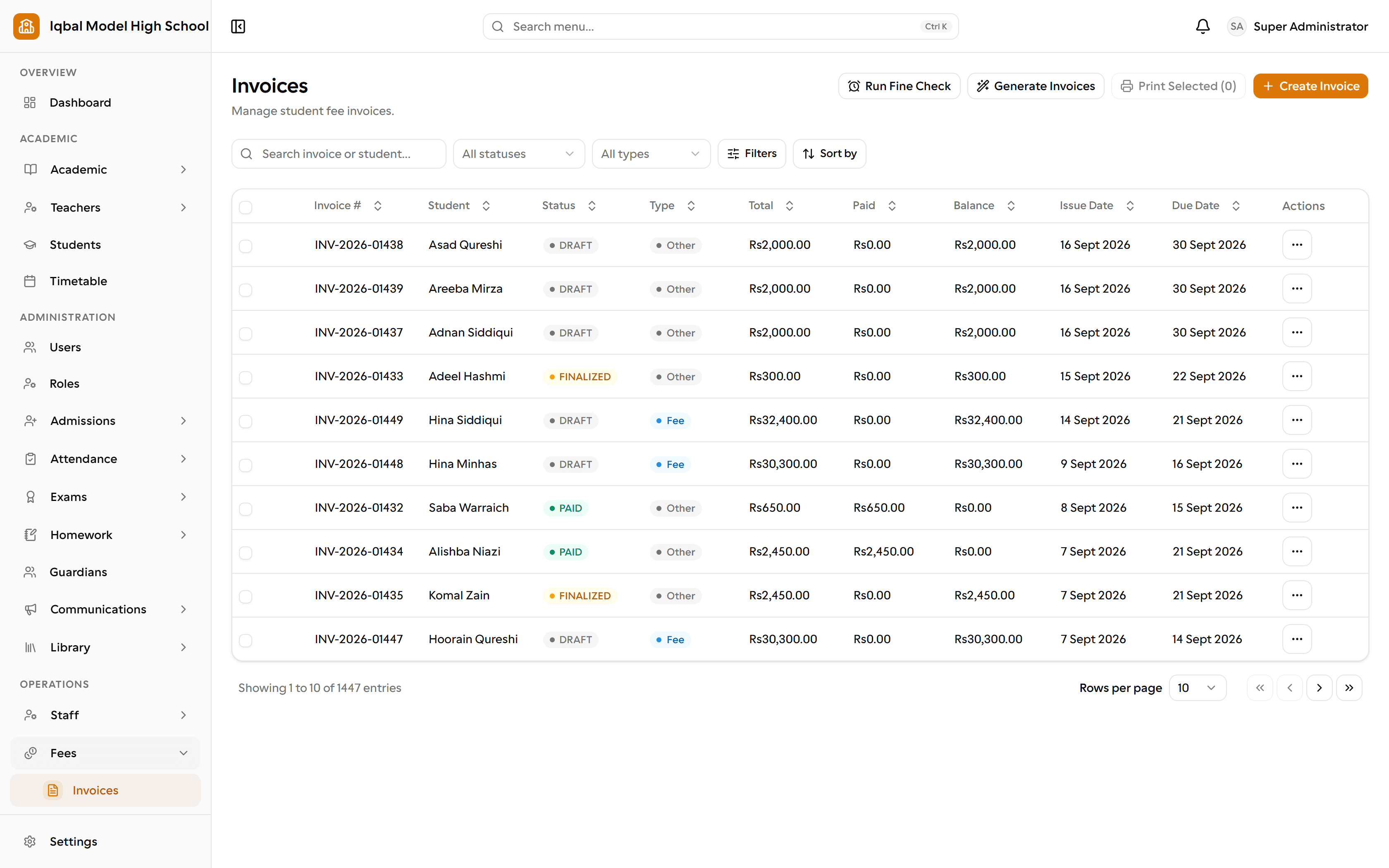
Tell parents what they need to know.
Targeted announcements, twenty built-in notification events on four channels, editable message templates, a delivery log and automatic reminders.
- AnnouncementsTarget a campus, class, section or role
- Twenty notification eventsTwenty events you switch on or off
- Email, SMS and WhatsAppEmail, SMS, WhatsApp and the portal inbox
- Editable message templatesEvery message in your own words
- In-app inboxA notification bell in every portal
- Delivery logSee exactly what was sent, and to whom
- Automatic remindersFee due dates and library overdues, daily
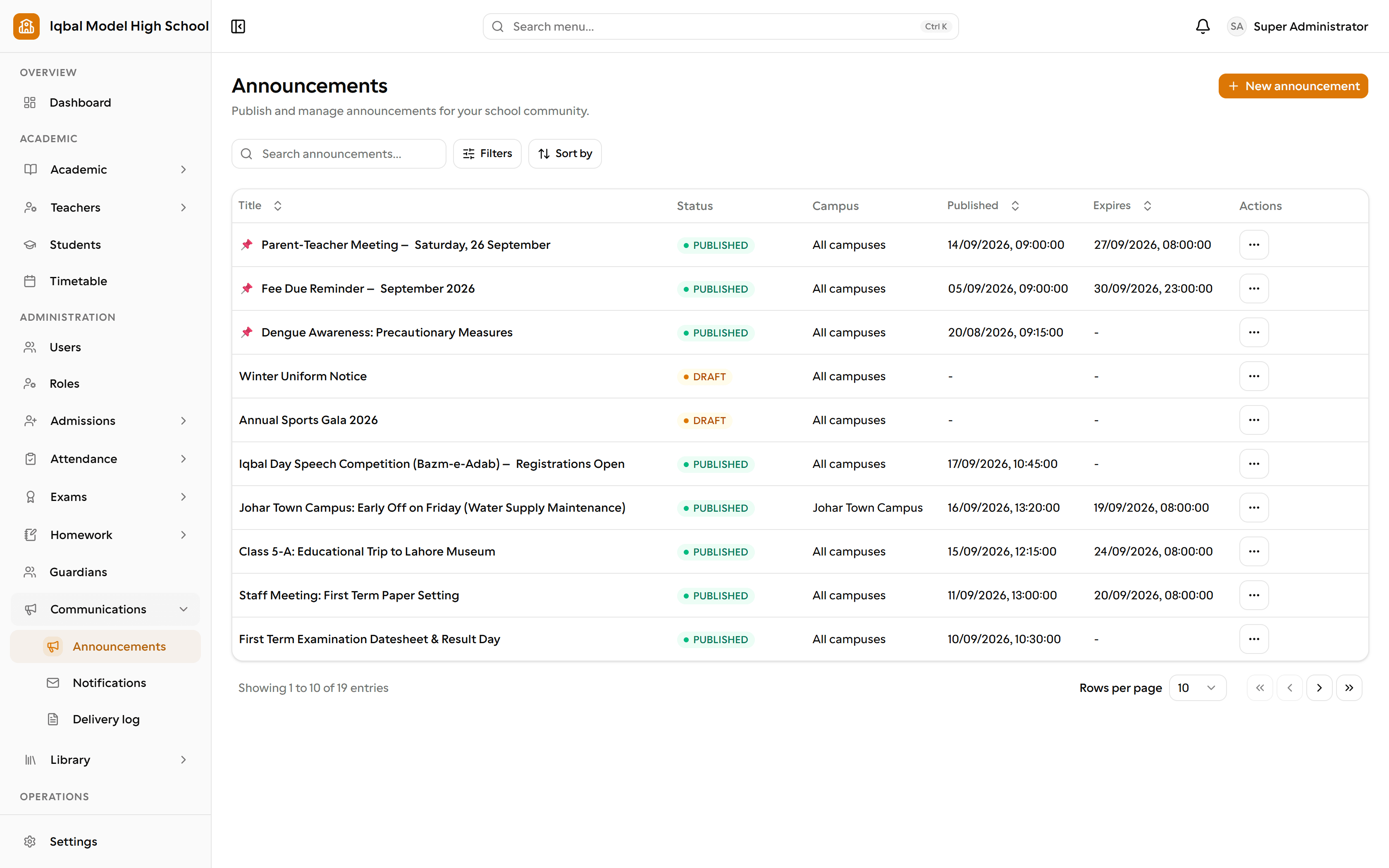
The library, the store and the school run.
Library catalogue and circulation with fines and reminders, stock and suppliers, a fixed-asset register, and transport routes with student assignments.
- Library catalogueTitles, copies and accession numbers
- Issue, return and renewIssue, return and renew under your rules
- Library finesOverdue, damage and lost-book charges
- Inventory and stockLive quantities and reorder levels
- Suppliers and purchase ordersOrders that top up stock on receipt
- Asset registerTag fixed assets and hand them out
- Transport routesRoutes, stops and student assignments
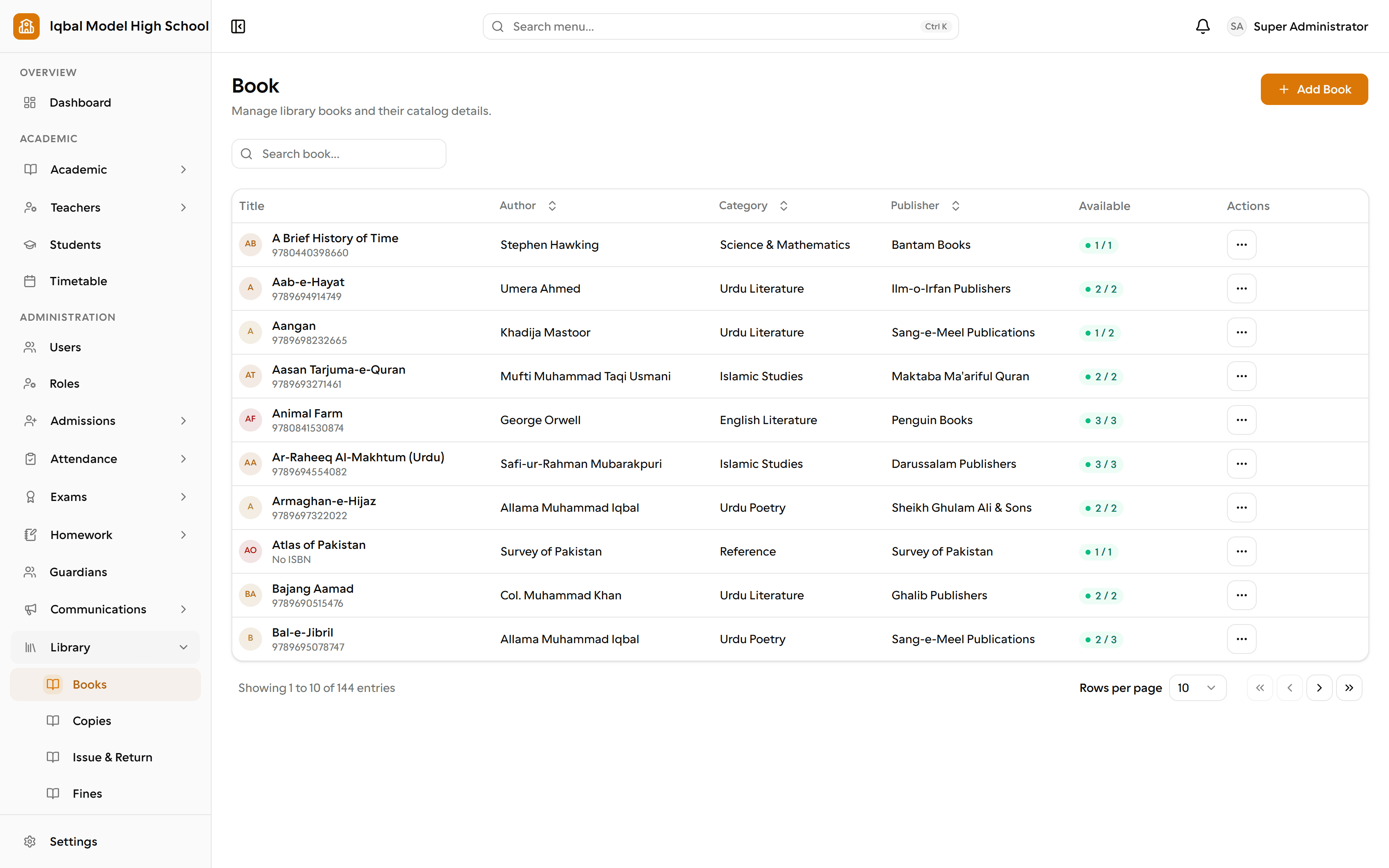
Your school, your branding, your rules.
Five portals behind one login, 185 permissions and custom roles, your own address and letterhead, your own numbering, and an audit trail behind it all.
- Five portals, one loginFive ways in, one sign-in each
- Fine-grained roles185 permissions, and roles you design
- Multiple campusesMore than one campus, one account
- Your school, your brandingYour logo, colour and web address
- Your own domainYour own domain, with one DNS record
- Guided setupA three-step wizard builds your year
- Your own numberingYour own prefix on every number series
- Branded printingOne letterhead on every printed document
- Student ID cardsDesign and print student ID cards
- Audit trailWho changed what, and when
- Each school in its own boxEach school scoped to its own data
- Account protectionForced first-login change, expiring links
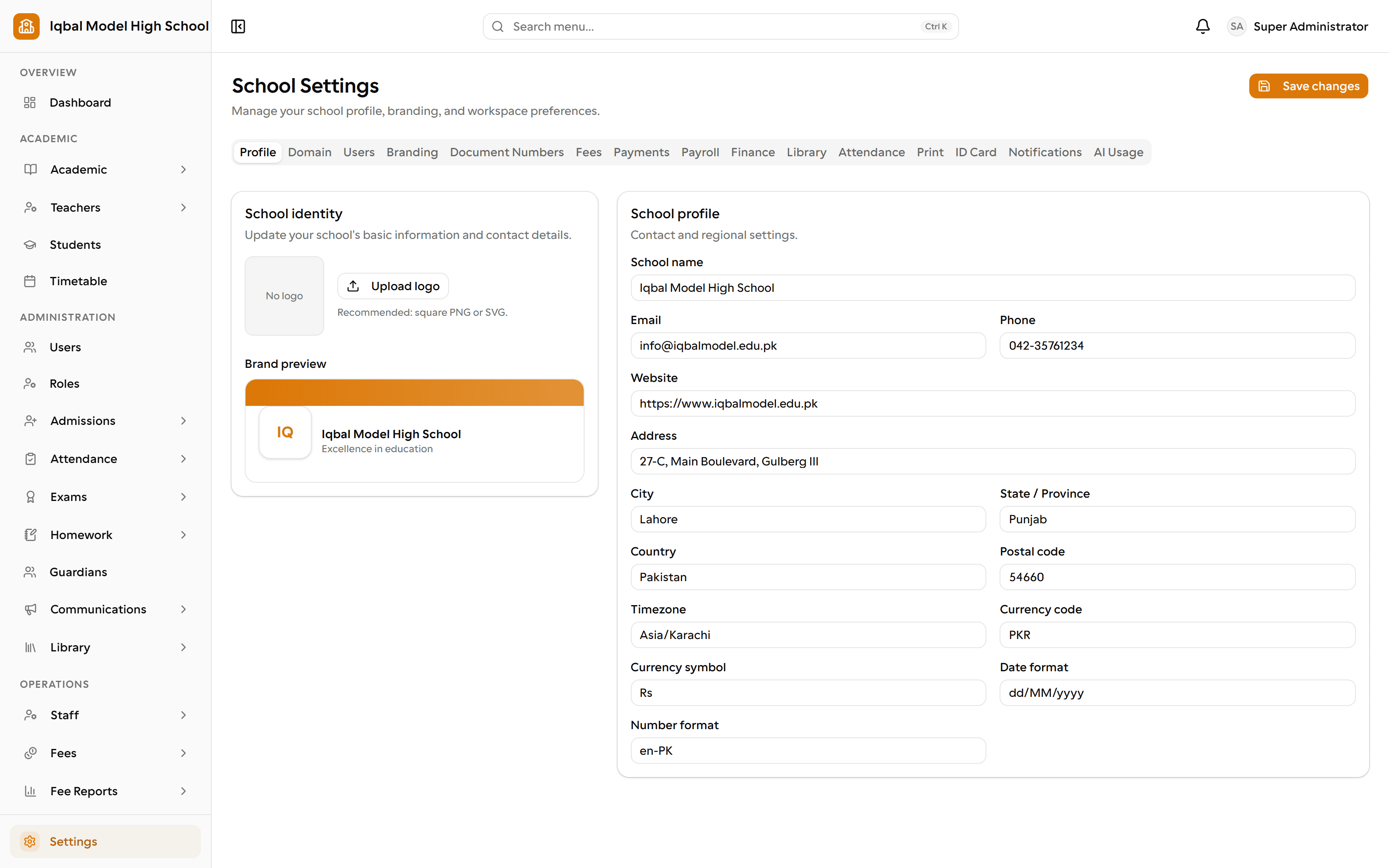
Twenty-six modules in all, built on the same student, staff and academic records. See every capability, and the gaps.
One system, five ways in
Everyone sees their own work, and nobody else's
School administrators
The whole school office
Teachers
Their classes and marks
Other staff
Attendance and leave
Students
Timetable, homework, results
Parents
Every child, one login
Communication
Tell parents once, in the places they already look
Publish an announcement to the portals, and send it on by SMS, email or WhatsApp when your school has a provider set up.
What you should know before relying on it
Each event can go out by email, SMS, WhatsApp or the in-app inbox, and you choose who receives it.
- SMS and WhatsApp need a messaging provider account for your school; the provider charges for the messages.
- Students receive notifications in their portal inbox, since EDUTIG does not store a student email address or phone number.
Announcements themselves need no provider: they appear in the teacher, staff, student and parent portals as soon as you publish them.
Built for how schools actually run
Not a template adapted from somewhere else, and not a spreadsheet with a login screen.
One set of records
A student added at admission is the same record used for attendance, homework, results and fees, so the same information is not typed into several places.
Each role sees its own work
Administrators, teachers, other staff, students and parents each have their own portal, and you decide which areas a role can use.
Built and supported from Lahore
EDUTIG is developed by RNDSOL. You talk to the team that builds the product, in your own time zone and working week.
FAQ
Questions schools ask first
If your question is not here, ask us directly and we will answer it plainly.
What does EDUTIG actually cover?
Admissions and student records, the academic structure and timetable, attendance and leave, homework, exams, report cards and the exam week, fees and receipts, expenses and financial reports, staff records, leave and payroll, library, inventory and transport, announcements and notifications, and separate portals for teachers, staff, students and parents.
How much does EDUTIG cost?
Starter is free to use. Essential is USD 11.99 a month, Growth USD 23.99 and Enterprise USD 39.99, and the paid packages start with three days free. Every package includes the whole product; they differ by school size and the support that comes with them. Prices are per school, per month.
Can parents and students see their own information?
Yes. Parents and students have their own portals for attendance, homework, results, fee information, transport and announcements. A parent with more than one child switches between them without signing out. Teachers and other staff have separate portals for their own work.
Does EDUTIG work on a phone?
EDUTIG is a web application, so you open it in a browser on a computer, tablet or phone. There is no Android or iOS app to download.
Can we send fee reminders by SMS or WhatsApp?
Yes, once a messaging provider is set up for your school. EDUTIG sends the messages and keeps a delivery log; the provider charges for the messages themselves.
See EDUTIG with your own school in mind
Tell us how your school works today and we will show you the parts of EDUTIG that matter to you, using your questions as the agenda.