Exams, results and report cards
Run one exam across every class with its own papers, enter marks quickly, publish results class by class, and handle the exam week itself: datesheet, seating and admit cards.
Who uses it: The exam controller, subject teachers and the principal.
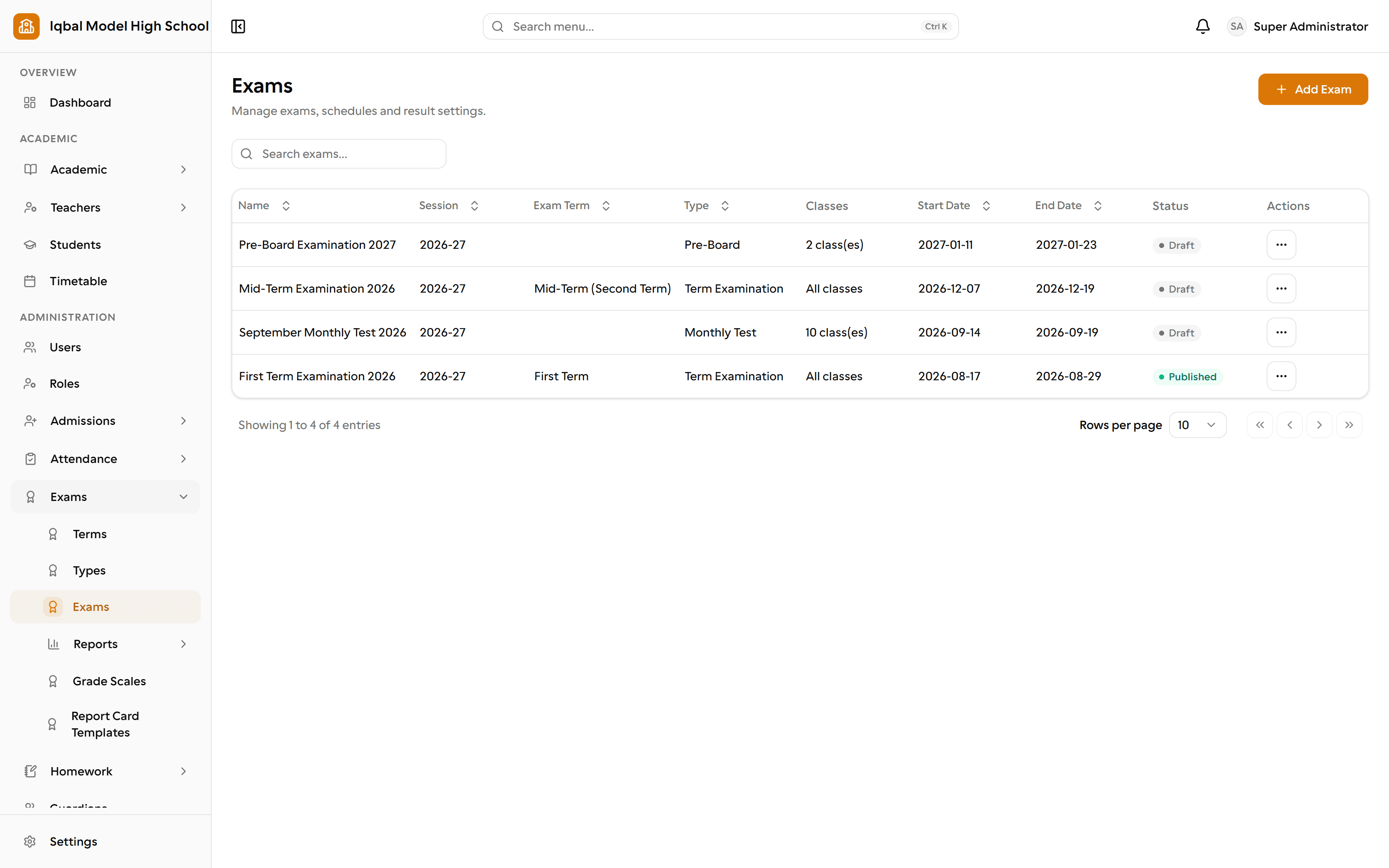
What it handles
Exams, marks and results
One exam can cover every class, each with its own papers and marks limits. Enter marks by paper and section, with absent flags, remarks and automatic totals.
Grade scales
Define your own grade bands with percentages, grade points and remarks; they are applied to marks, results, report cards and analysis.
Class-by-class result publishing
Publish results one class at a time. Publishing freezes that class's result, locks its marks and notifies students and guardians, while other classes stay open for marking.
Report cards
Generate report cards from a frozen snapshot of the marks and print them through editable templates on your school letterhead.
- Report cards print from the browser, which can also save a PDF. There is no server-generated PDF download.
Exam datesheet
Build the datesheet by hand or generate it from the weekly timetable with a preview first, and never double-book a room or an invigilator.
Seating plans and admit cards
Auto-assign seats by section and roll number across one or more rooms, adjust by clicking a seat, and print seating plans and admit cards on your letterhead.
Exam reports
Ten printable reports including the tabulation register, merit list, result gazette, absentees, failures, subject analysis, marks-entry status and the invigilator duty roster.
Combined session results
Weight several exams by exam term, say half the midterm and half the final, to produce one combined result for the session.
How the work flows
Set up the exam
One exam can cover the whole school. Each class gets its own papers with its own maximum, passing, theory and practical marks, filled in one click from the class's subject offerings.
Build the exam week
Generate the datesheet from the weekly timetable with a preview before anything is saved, then assign invigilators. Rooms and invigilators can never be double-booked.
Seat the students
Auto-assign seats by section and roll number across one or more rooms, adjust by clicking a seat, and print the seating plan and admit cards on your letterhead.
Enter marks
Marks are entered by paper and section with absent flags, remarks and automatic totals and grades. Teachers enter marks only for the papers they actually teach.
Publish class by class
Publishing freezes that class's result, locks its marks and notifies students and guardians, while other classes stay open for marking.
Report and analyse
Ten printable reports, including the tabulation register, merit list, gazette, absentees, failures, subject analysis and marks-entry status, plus combined results weighted across several exams.
What you need first
- Classes, sections and subject offerings need to be in place, with students enrolled in any optional subjects.
- Set up a grade scale so percentages turn into grades everywhere.
How it behaves
- Report cards print from the browser, which can also save a PDF. There is no server-generated PDF download.
- Report cards print per exam; transcripts across sessions are set up with your wording and signatures.
In development for this area
Being built now, not yet available. Each line says what happens today instead.
Substitutions and versioned timetables
One timetable is in force at a time today. Recording a substitution when a teacher is away, and keeping a separate timetable per term, are being built.