Fees, invoices and collection
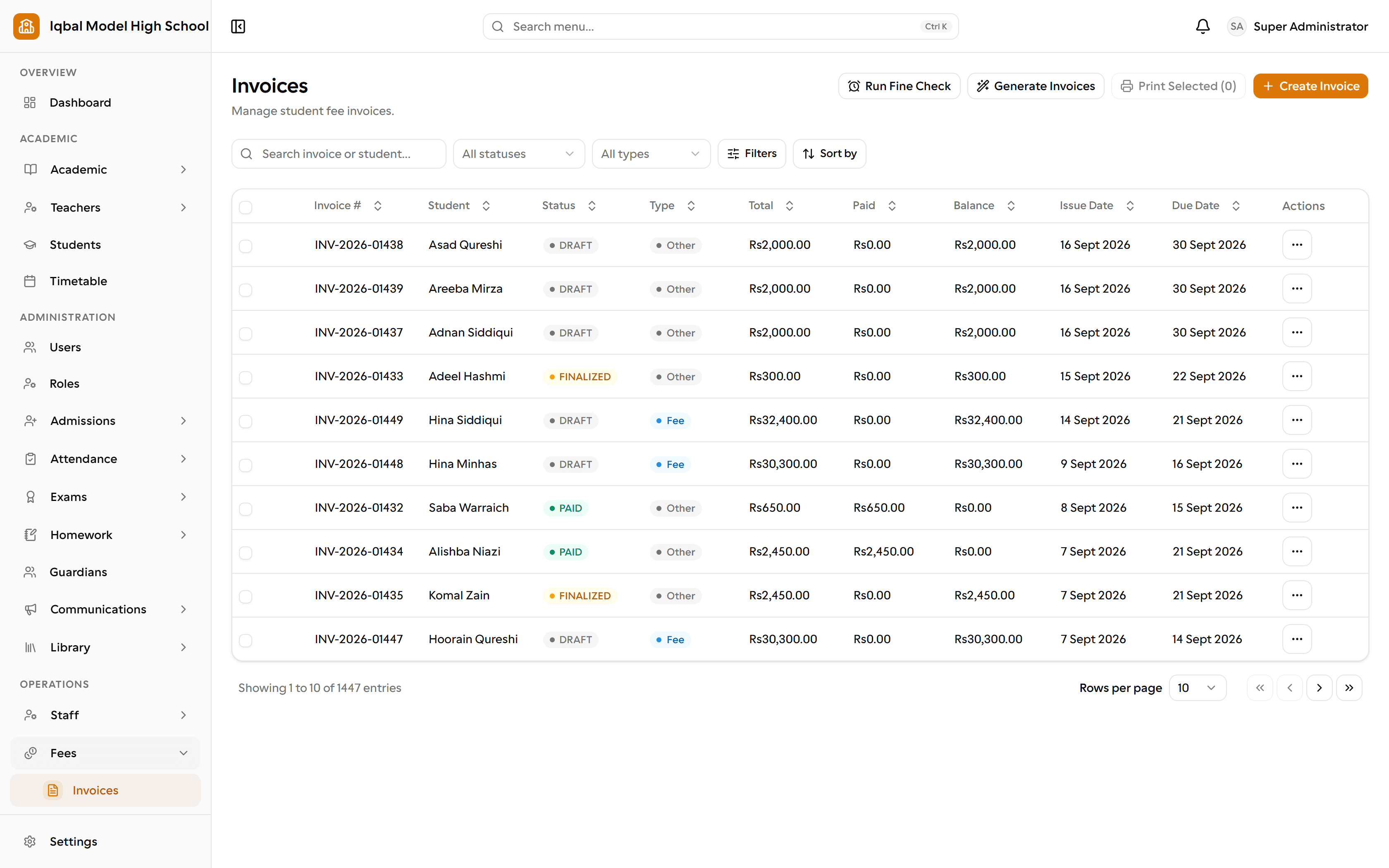
Set fee plans that bill on the right cycle, generate a whole class's invoices with a preview first, collect at the desk or against a parent's transfer proof, and know exactly what is outstanding.
Who uses it: The accounts office, the fee desk and the principal.
What it handles
Fee plans and invoices
Set fee heads and plans per class, preview exactly what each student will be charged, then generate invoices for a class, a section or selected students in one go.
- Generation is run for a class, section or a chosen list of students rather than the whole school at once.
Cycle-aware billing
Monthly, quarterly, annual, per-term and one-time charges are billed only in the months they fall due, anchored to your own academic year start.
Discounts and concessions
Fixed or percentage concessions, optionally limited to one fee head and a date window, assigned to a single student or to many at once.
Late fees and fines
Rule-driven late fees, fixed or a percentage of the outstanding balance, with a maximum cap, plus one-off fines that can be billed separately or merged into the next invoice.
- Fines follow the rules you configure; they are applied when someone runs the fine check rather than on an unattended schedule.
Fee collection and receipts
Collect at the desk, record a bank transfer against a parent's uploaded proof, and issue a numbered receipt whose printed content is frozen at the moment of payment.
- Cash, bank transfer and JazzCash can each be switched on or off for your school.
- Receipts print from the browser, which can also save a PDF.
Bank transfer proofs
A parent uploads the transfer screenshot from their portal and the office approves or rejects it with a reason, so the desk is never guessing.
- Your bank details are shown to parents only once an account title and number are filled in.
Reversals instead of deletions
A payment is never deleted. A mistake is reversed with a reason, and every payment event is written to an audit record that cannot be edited.
Fee reports
Nine reports: outstanding balances, daily collection, per-student ledger, demand versus collection, collection by head or class, defaulter ageing, concessions, payment modes and fines.
How the work flows
Set the fee plan
Fee heads and plans per class, with monthly, quarterly, annual, per-term or one-time charges. Student-specific arrangements sit on top without a separate system.
Apply concessions
Fixed or percentage concessions, optionally limited to one fee head and a date window, assigned to one student or many at once.
Generate and preview
Pick a class, section and billing month and see exactly what each student will be charged before anything is created. Then generate, with a clear created, skipped and failed report per student.
Collect the money
Cash at the desk, or a bank transfer the parent uploads a screenshot for and the office approves. Every payment writes a numbered receipt frozen at that moment.
Handle late payers
Rule-driven late fees, fixed or a percentage of the outstanding balance with a cap, plus one-off fines billed separately or merged into the next invoice.
Report on it
Nine reports: outstanding, daily collection, per-student ledger, demand versus collection, collection by head or class, defaulter ageing, concessions, payment modes and fines.
What you need first
- Classes and enrolled students, so there is someone to bill.
- Decide your fee heads and your academic year start month; the billing cycle is anchored to it.
- For bank transfer, your account title and number go into settings before parents see them.
How it behaves
- Invoices are generated for a class, section or a chosen list of students rather than the whole school at once.
- Late fees follow your rules but are applied when someone runs the fine check, not on an unattended schedule.
- EDUTIG is not a double-entry accounting system; most schools keep their accountant's software for statutory accounts.
In development for this area
Being built now, not yet available. Each line says what happens today instead.
General ledger and trial balance
Fees, payroll and expenses report in EDUTIG today. A full ledger with a trial balance is being built, so most schools still keep their accountant's software.
Bank reconciliation
Matching a bank statement against recorded receipts is being built. Today a bank transfer is verified by your staff from the payment screenshot a parent uploads.
Budgets and period closing
Setting a budget, reporting against it and closing a period so figures stop moving are all being built.
Late fees applied on a schedule
Fine rules are yours to set today and are applied when someone runs the fine check. Running that on a schedule, with no one present, is being built.