Staff, leave and payroll
One directory for everyone on the payroll, a leave policy with real accrual and multi-level approval, and a monthly payroll run that reports exactly who was paid and who was skipped.
Who uses it: HR, the accounts office and the principal, with staff using self-service.
What it handles
Staff directory
One directory for everyone on the payroll: teachers, office, accounts, drivers and guards, organised by department and designation, with automatic employee IDs.
Departments and designations
Group staff by department and designation. A designation marked as teaching makes a new joiner immediately available for class and subject assignments.
Staff profiles and documents
A profile per staff member with photo, reporting manager, assignments, attendance, uploaded documents, leave balances and payslips, plus a printable profile PDF.
Staff leave
Define as many leave types as you need, each with its own annual allowance, accrual rhythm, half-day rule, minimum notice and required reason.
Leave accrual and balances
Leave accrues monthly, quarterly, half-yearly or yearly, new joiners get a fair pro-rated share, and unused days carry forward up to a cap while the rest lapse.
Multi-level leave approval
Route a leave request through as many approval steps as your school needs, to a reporting manager, a role, a designation or a named person, with a full decision trail.
Salary structures
Build each person's pay from a basic salary plus reusable allowance and deduction components, with dated revisions so a raise takes effect in the right month.
Monthly payroll runs
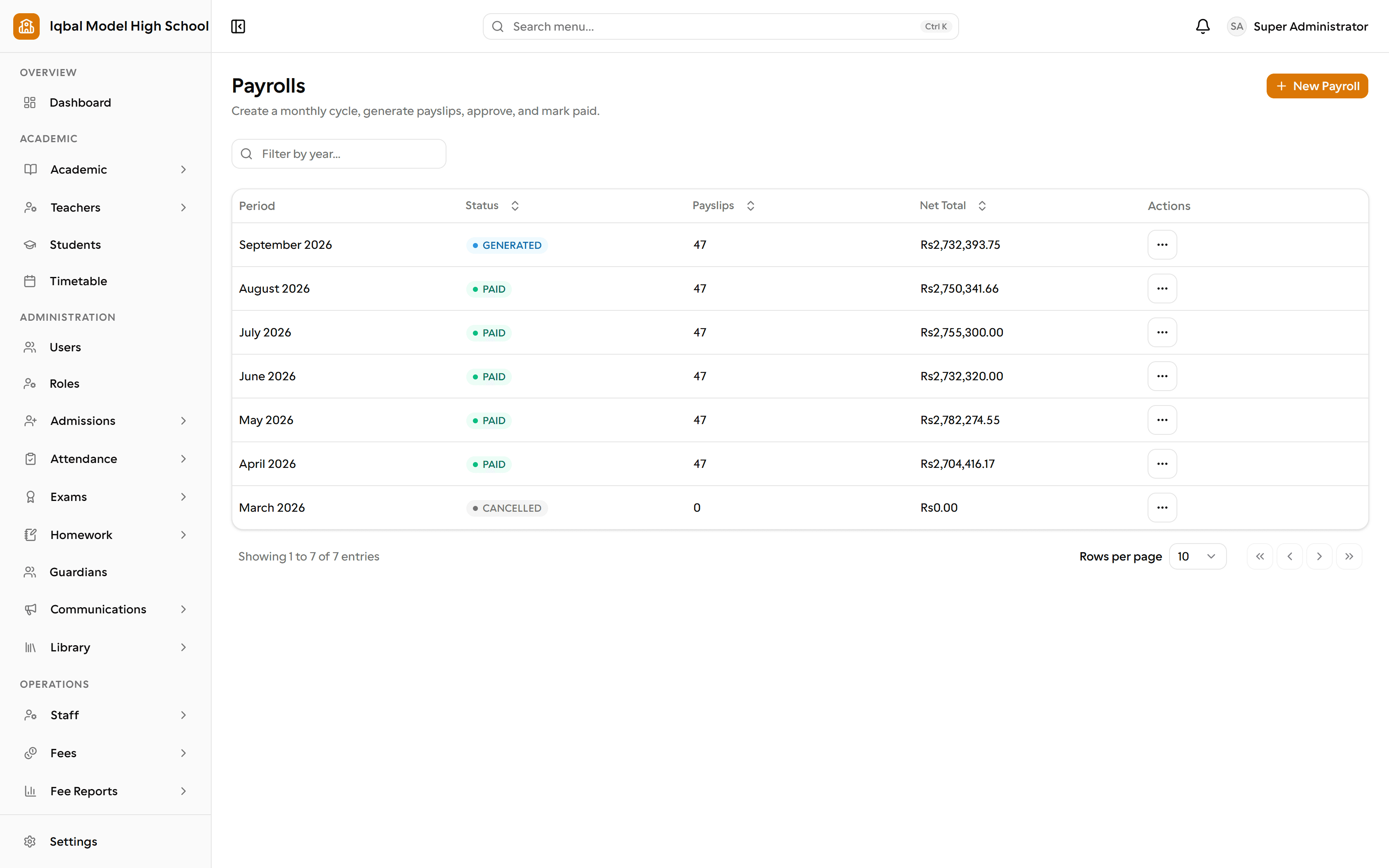
Preview a month's payroll, generate every payslip at once, then approve and mark it paid. Each run reports exactly who was paid and who was skipped, and why.
Attendance-based deductions
Unpaid absences are deducted automatically from the month's attendance, while approved paid leave is never penalised.
- Deductions are optional and can be switched off, and the daily rate can be based on gross or basic pay.
- Attendance must be recorded for the month, or that person is skipped rather than paid incorrectly.
Payslips
Payslips carry their own number and print on your letterhead from figures frozen at generation, so a reprint months later matches the original.
- Payslips print from the browser, which can also save a PDF.
How the work flows
Build the directory
Teachers, office, accounts, drivers and guards in one place, organised by department and designation, with automatic employee IDs and a login invite.
Set the leave policy
As many leave types as you need, each with its own allowance, accrual rhythm, half-day rule, minimum notice and required reason.
Leave runs itself
Days accrue monthly, quarterly, half-yearly or yearly, new joiners get a pro-rated share, and unused days carry forward up to a cap while the rest lapse. Every movement is backed by a ledger.
Approvals route properly
A request goes to a reporting manager, a role, a designation or a named person, through as many steps as your school needs, with the full decision trail kept.
Define the pay
A basic salary plus reusable allowance and deduction components, with dated revisions so a raise takes effect in the right month.
Run payroll
Preview first, generate every payslip at once, then approve, which locks the run, and mark it paid. Payslips print on your letterhead from figures frozen at generation.
What you need first
- Departments and designations, so staff can be grouped and teaching staff recognised.
- A salary structure in force for the month you are paying.
- Attendance for the month if you use attendance-based deductions.
How it behaves
- Payroll is paid as one batch per month; there is no per-payslip payment status.
- Salary components are fixed amounts, not percentages or formulas, and there is no statutory tax calculation.
- Regenerating a run replaces its payslips, including any manual adjustments.
In development for this area
Being built now, not yet available. Each line says what happens today instead.
Statutory tax in payroll
Salary components are fixed amounts you set today. Formula-based components and statutory tax deductions are being built.
Staff self check-in
Staff attendance is entered by the office today, with a correction request if something is wrong. A self check-in for staff is being built.