Inventory, assets and transport
Keep the school store, suppliers and purchase orders in order, tag and hand out fixed assets, and run transport routes with students assigned to a stop.
Who uses it: The store keeper, the administrator and the transport in-charge.
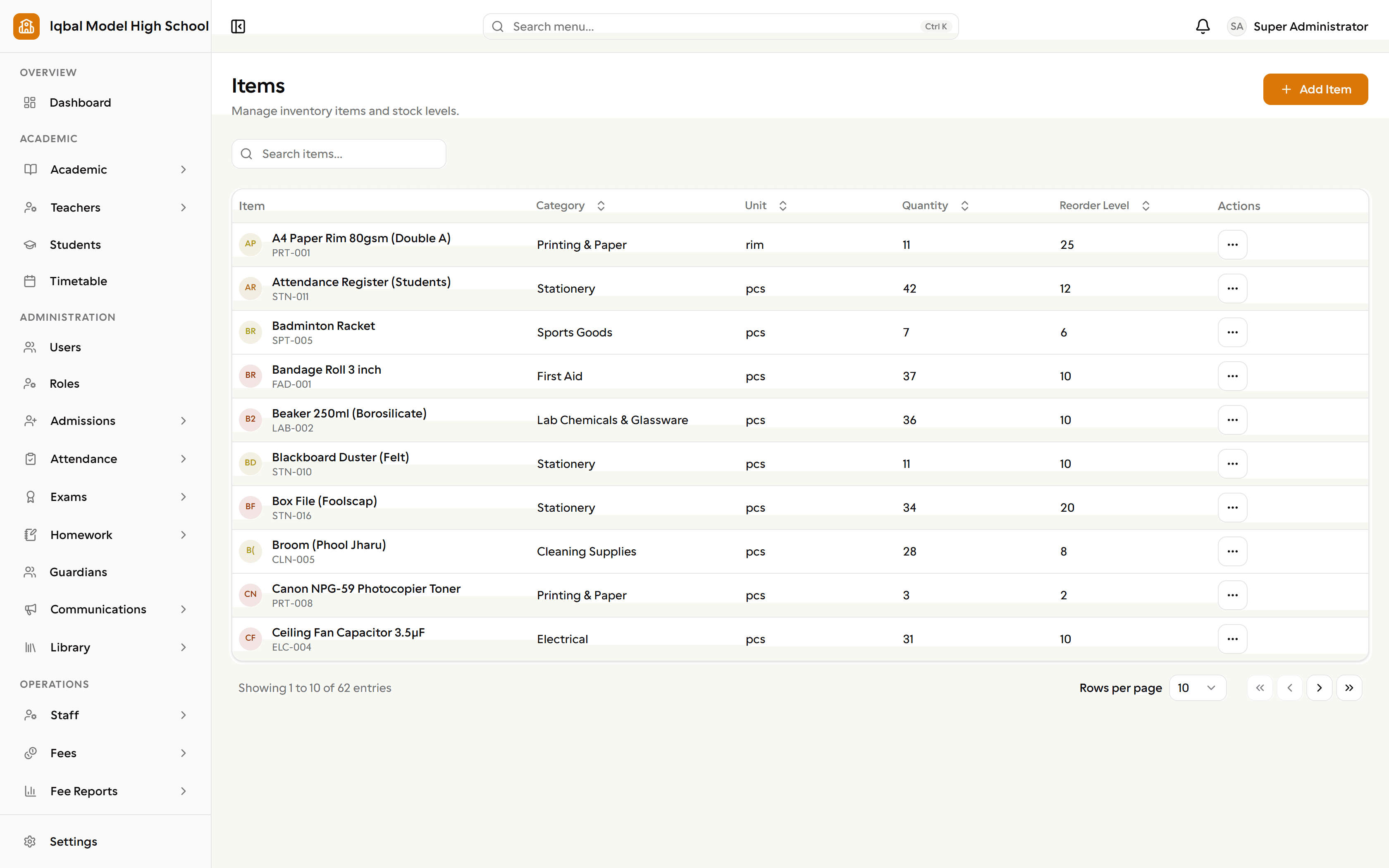
What it handles
Inventory and stock
Keep consumables by category with a live quantity, record stock in, stock out, returns and adjustments, and set reorder levels.
- This is record-keeping for a school store rather than full warehouse stock control.
Suppliers and purchase orders
A supplier directory shared with your expense records, and purchase orders with line items that top up stock when you mark them received.
Asset register
Tag fixed assets with their condition, purchase date and value, hand them to a staff member or student, and take them back with a recorded condition.
Transport routes
Record vehicles, drivers, routes with ordered stops and pick-up times, and assign students to a route and stop for a date range.
- Routes and assignments are records. There is no live vehicle tracking, and route fees are not billed automatically.
- A driver cannot be on two vehicles, a vehicle cannot run two routes, and a student cannot be on two routes at once.
How the work flows
Track the store
Consumables by category with a live quantity, stock in, stock out, returns and adjustments, and reorder levels that flag low stock.
Order and receive
A supplier directory shared with your expense records, and purchase orders with line items. Marking an order received tops up stock automatically.
Look after the assets
Tag fixed assets with condition, purchase date and value, hand them to a staff member or student, and take them back with a recorded condition, shown on that person's profile.
Run the routes
Vehicles, drivers, routes with ordered stops and pick-up times, and students assigned to a route and stop for a date range. Students and parents see it in their portal.
What you need first
- Inventory categories and, for transport, your vehicles and drivers.
- Students enrolled, so they can be assigned to a route.
How it behaves
- Inventory is record-keeping for a school store rather than full warehouse stock control.
- A student assigned to a route is billed its fee with their other fees, from the date of assignment.
- One driver per vehicle and one vehicle per route, so separate morning and afternoon runs are not modelled.
In development for this area
Being built now, not yet available. Each line says what happens today instead.
Live vehicle tracking
Routes, stops and who travels on them are managed today. Showing a vehicle's live position to the school or to parents is being built.
Hostel and mess management
Hostel rooms, bed allocation and mess subscriptions are being built.
Library fines in the financial reports
Library fines are recorded at the desk today. Carrying them into fee invoices and the financial reports is being built.
Library in the student and parent portals
Issue and return are run from the library desk today. A borrower-facing screen showing loans and due dates in the portals is being built.