Library
Catalogue titles, track every physical copy, issue and return in seconds under your own lending rules, and let overdue reminders and fines look after themselves.
Who uses it: The librarian, with borrowers being students and staff.
What it handles
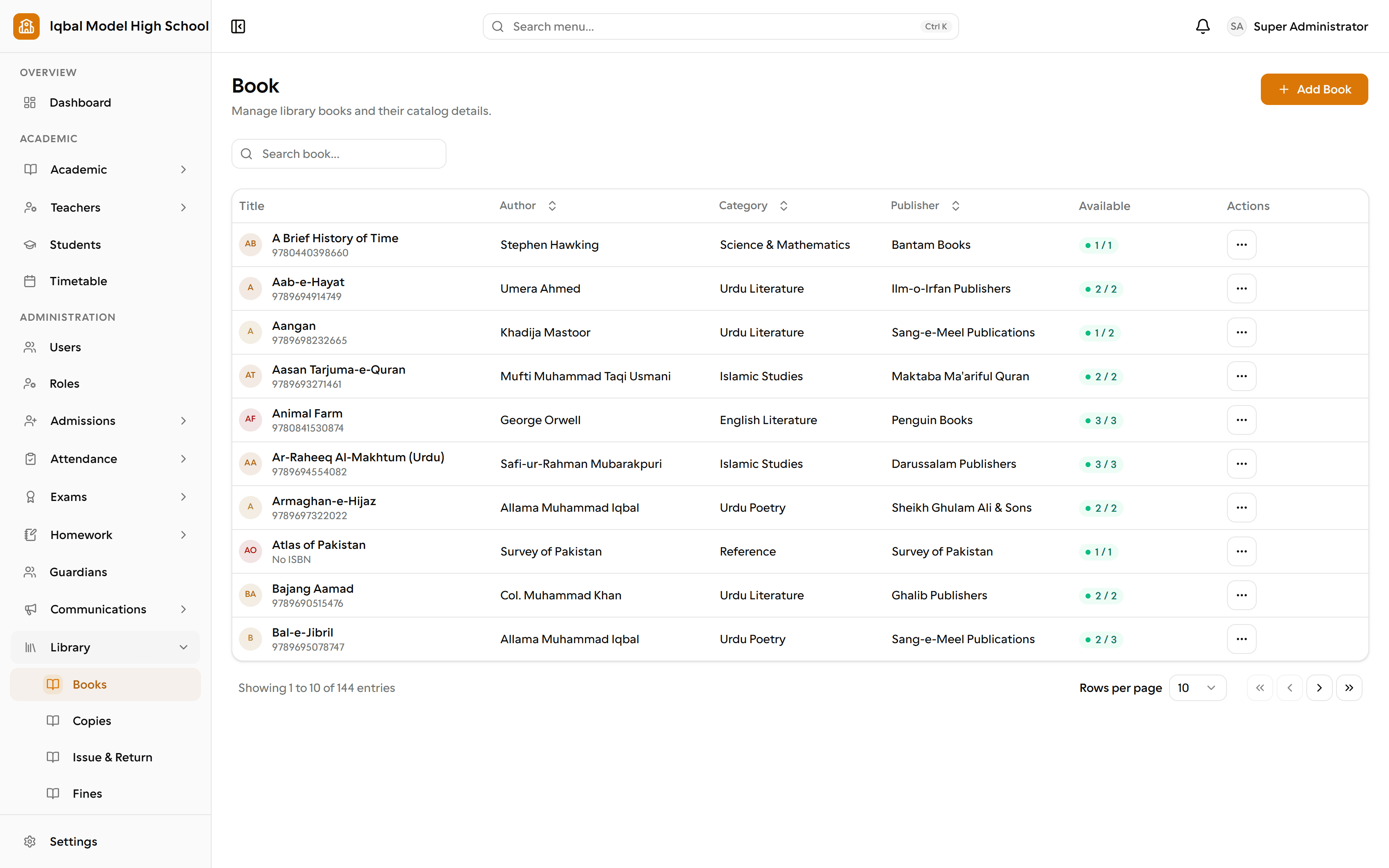
Library catalogue
Catalogue titles, track every physical copy with its own accession number and condition, and withdraw or write off a copy without losing its history.
Issue, return and renew
Issue to a student or a staff member, renew within your limits, and return with a condition. Two librarians can never issue the same copy at once.
- Loan periods, book limits and renewal limits are set separately for students and staff.
Library fines
Automatic overdue fines at your own daily rate with an optional cap, plus damage and lost-book charges, each collected, waived with a reason or reversed.
- Library fines are a desk record. They are separate from fee invoices and do not appear in the financial reports.
Library reports and slips
Overdue, circulation and outstanding-fine reports, plus a printable issue slip on your school letterhead.
Automatic reminders
A daily job reminds guardians of upcoming fee due dates and borrowers of library books due or overdue, without sending the same reminder twice.
- How many days before a due date the fee reminder starts is a setting you control.
How the work flows
Build the catalogue
Titles with author, publisher, ISBN and replacement cost, then a record per physical copy with its own accession number in your own format.
Set the lending rules
Separate loan periods and book limits for students and staff, renewal limits, and whether a borrower with unpaid fines can take another book.
Issue and return
Issue to a student or staff member and print a slip on your letterhead. Two librarians can never issue the same copy at once.
Handle fines fairly
Overdue fines at your own daily rate with an optional cap, plus damage and lost-book charges. Collect, waive with a reason, or reverse a mistaken collection. Nothing is deleted.
Stay ahead of overdues
A daily job reminds borrowers of books due soon and overdue, by email, WhatsApp or the portal inbox, without sending the same reminder twice.
What you need first
- Students and staff records, since they are the borrowers.
- Decide your loan periods and fine rate before you start issuing.
How it behaves
- Library fines are a desk record. They are separate from fee invoices and do not appear in the financial reports.
- Fines are collected as cash at the desk; no other method is recorded.
- There is no borrower-facing library screen in the student or parent portal.
In development for this area
Being built now, not yet available. Each line says what happens today instead.
Live vehicle tracking
Routes, stops and who travels on them are managed today. Showing a vehicle's live position to the school or to parents is being built.
Hostel and mess management
Hostel rooms, bed allocation and mess subscriptions are being built.
Library fines in the financial reports
Library fines are recorded at the desk today. Carrying them into fee invoices and the financial reports is being built.
Library in the student and parent portals
Issue and return are run from the library desk today. A borrower-facing screen showing loans and due dates in the portals is being built.