Portals, roles and your own branding
Five portals behind one login, 185 permissions you can build roles from, your own web address, letterhead and numbering, and an audit trail behind everything.
Who uses it: The principal, the system administrator and your IT contact.
What it handles
Five portals, one login
Administrators, teachers, office staff, students and parents each sign in the same way and land in the workspace built for them. Five ways into one system.
One parent account for every child
A guardian with more than one child switches between them without signing out, and stays on the same screen for the next child.
Fine-grained roles
185 individual permissions across every area. Use the built-in roles or design your own, such as accountant, librarian or front desk, and give one person several.
Multiple campuses
Run more than one campus under a single school account, with campus recorded on sections, students, staff shifts, holidays and expenses.
- Ask us how access is separated across campuses before deciding, so it matches how your group actually works.
Your school, your branding
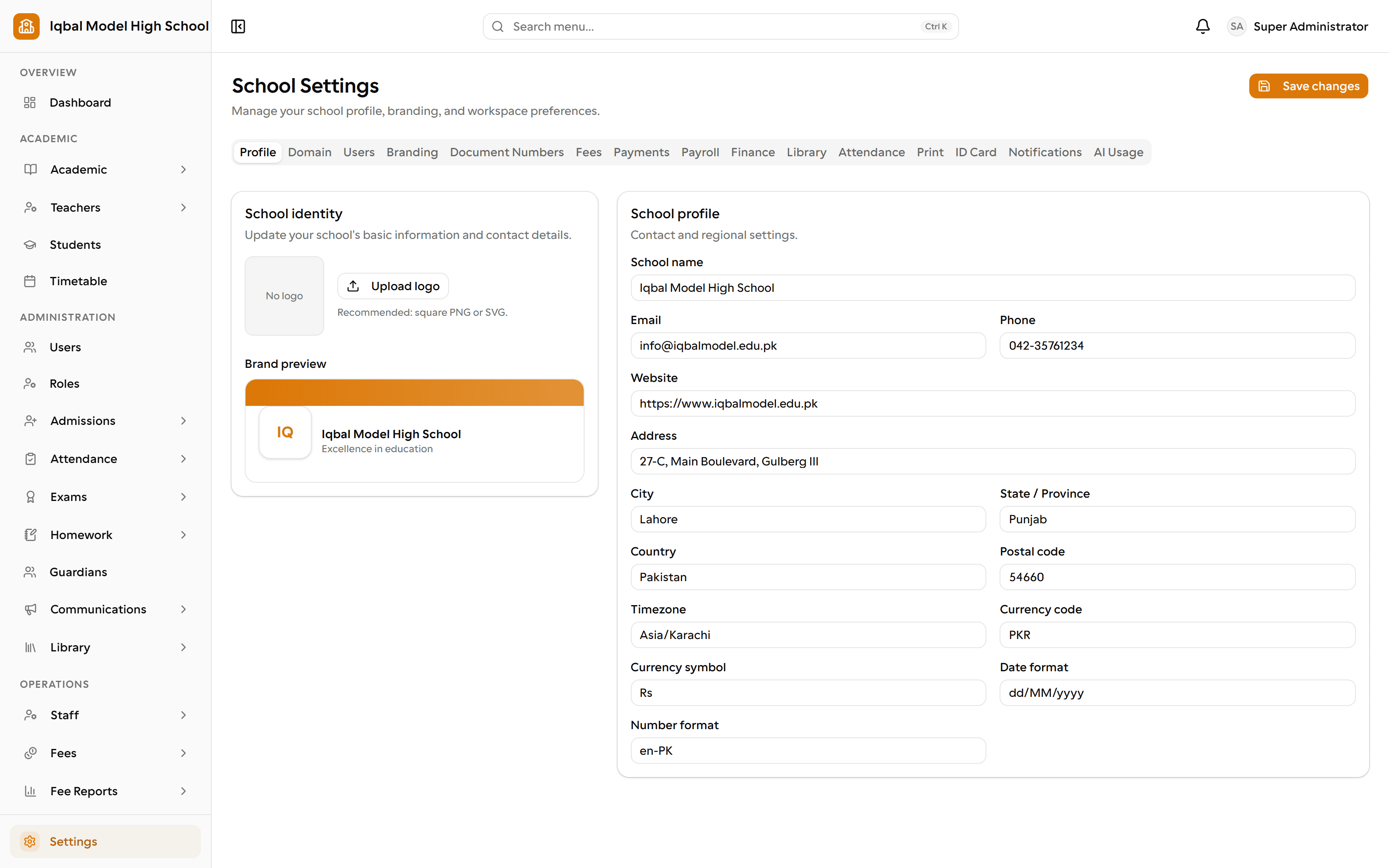
Your own web address, logo, colour and favicon, plus a letterhead applied to every printed document.
Your own domain
Connect an address such as portal.yourschool.edu with a single DNS record and one-click verification, and every link then uses it.
- Your IT contact adds one DNS record; certificates are handled by the hosting layer.
Guided setup
A three-step wizard builds your academic year, terms, classes, sections, timetable periods and working week, with regional defaults for over twenty countries.
Sensible starting point
A new school starts with a main campus, staff designations, leave types, expense categories, report-card templates and notification settings already in place.
Your own numbering
Admission, roll, employee, invoice, inquiry, application, payslip, expense and library accession numbers each have their own prefix, separator, digits and optional year.
Branded printing
One letterhead, either an uploaded banner or your logo with a styled title, is applied to every printed invoice, receipt, payslip, report card, timetable and slip.
- Documents print from the browser, which can also save a PDF.
Student ID cards
Set the orientation, colours, fields, logo and photo on your own card design, then print one at a time or a whole class on cut-ready A4 sheets.
Documents that do not change
Receipts, payslips, expense vouchers, report cards and library slips are stored as a snapshot of the moment they were made, so a reprint years later matches the original.
Audit trail
Sign-ins, setting changes, role changes and sensitive actions are recorded with who, what, when and from where, and can be searched and filtered.
- It is a log of recorded actions rather than a complete record of every change in the system.
Each school in its own box
Each school's data is scoped to that school on every request, and the tests that ship with the product check that one school cannot read another's records.
Account protection
Encrypted passwords, a forced password change on first sign-in, expiring single-use reset links, rate-limited sign-in, and mobile sessions ended when a password changes.
Credentials your way
Choose whether a new password is emailed privately to the user or handed over by an administrator in person, which is the practical option for families without email.
At-a-glance dashboard
A home screen with headcounts, academic structure, admissions activity and outstanding fees for the school.
How the work flows
Get set up
A three-step wizard builds your academic year, terms, classes, sections, periods and working week, with regional defaults for over twenty countries.
Make it yours
Your own web address, logo, colour and favicon, an uploaded letterhead on every printed document, and your own prefix and numbering for admission, invoice, payslip and nine other number series.
Decide who sees what
185 individual permissions. Use the built-in roles or design your own, such as accountant, librarian or front desk, and give one person more than one.
Everyone lands in the right place
Administrators, teachers, office staff, students and parents sign in the same way and are routed to their own workspace. A parent with more than one child switches without signing out.
Keep a record
Sign-ins, setting changes, role changes and sensitive actions are recorded with who, what, when and from where, searchable by an administrator.
What you need first
- A DNS record from your IT contact if you want your own domain rather than a EDUTIG subdomain.
- A decision about who in your school holds which role before people are invited.
How it behaves
- Documents print from the browser, which can also save a PDF, rather than downloading a server-generated file.
- The audit log records the actions it is set up to record; it is not a complete history of every change.
- Package student and staff limits are commercial terms agreed with us, not limits the software enforces.
In development for this area
Being built now, not yet available. Each line says what happens today instead.
Downloadable PDF documents
Report cards, receipts and registers print from the browser today, which can also save a PDF. Server-generated PDF downloads are being built.
Charts and analytics
The dashboard and reports show current figures and lists today. Charted trends across terms and years are being built.
Public API and webhooks
A documented public API and webhooks, so EDUTIG can exchange data with your other systems, are being built.